100-BLOCK SITE / CHUNK WORK PACKAGES
Open the chunk workbenchBuild a minecraft 100x100 circle by Chunk
100 × 100 / 16 × 16
100×100 chunk workbench
Set the site; finish one chunk-layer at a time.
Site overview
Select an occupied chunk to open its placement detail.
Selected chunk
X -16→-1 / Z -64→-49
Inspect a block, then follow its clipped world rows.
Left/right: traverse blocks. Up/down: change row. Home/End: first/last.
No block selected
Selected region
Planned blocks
12
Built blocks
0
Blocks remaining
12
Chunk-layer tasks
0/1
Stacks of 64
0
Loose blocks
12
Y 64 / 64→64
Placement rows
Z -50: X -7→-1 (7)
Z -49: X -12→-8 (5)
Blocks per layer: 12
Lists are local and mode-specific. Position, material or layer-count changes clear old completion.
Export range
JSON/CSV store footprint cells with inclusive Y range; SVG describes the chosen scope.
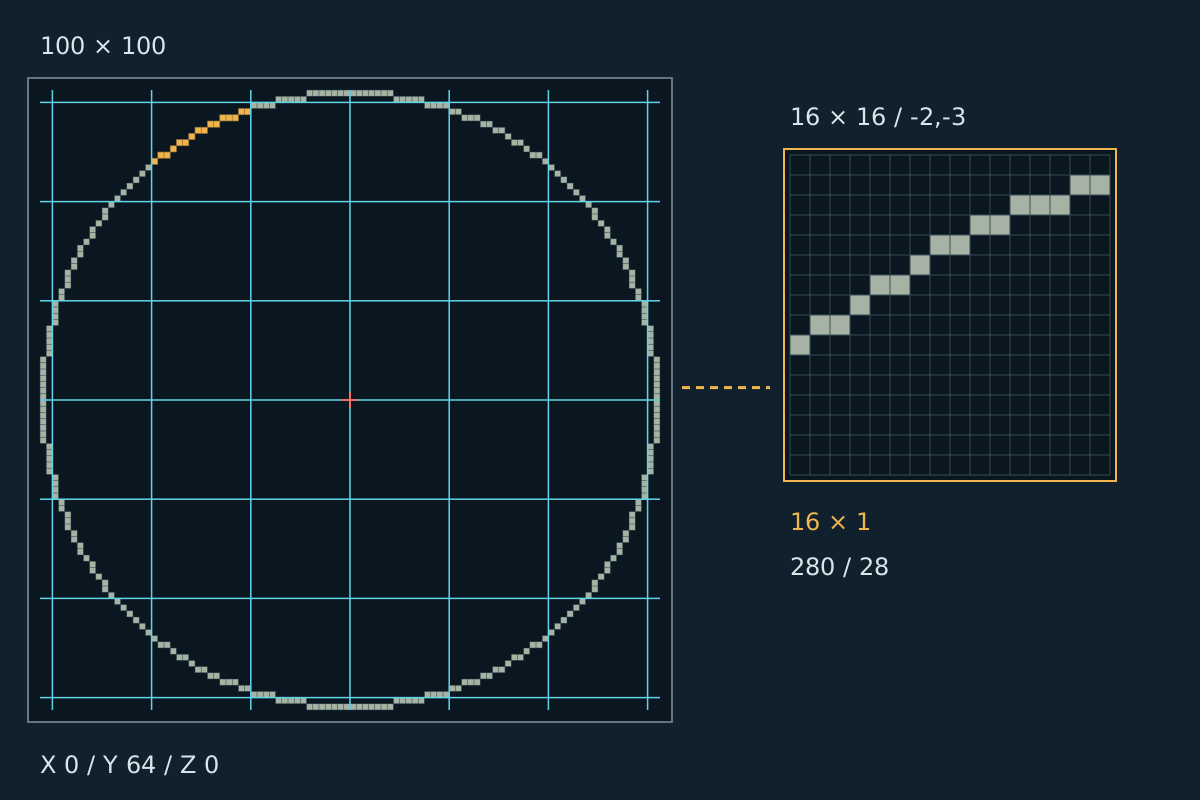
100×100 span · real 16×16 boundaries
The outlined site highlights one occupied chunk, not a decorative square.
Open the chunk workbenchOne chunk, one layer
Take your minecraft 100x100 circle from survey to section
Fix the reference before construction. Moving it changes the world-space assignments.
Locate the site
Enter the south-east reference beside the centre gap. Choose outline or floor, base height, and layers.
Choose a chunk
Select an occupied overview region. Its enlarged grid and clipped rows contain only the blocks inside that chunk.
Place the current layer
Follow world X runs at the displayed Z and Y. Check the task only after placing every listed block.
Carry the handoff
Copy the current rows or export the region. Check remaining materials: small edge tasks differ from full interior chunks.
Large-build organisation
Minecraft chunk planner for large sites
World boundaries, not screen tiles
Regions follow fixed 16-block world intervals, not screen tiles. Moving the origin reassigns work without changing diameter or shape.
Readable local placement
Keep the overview for orientation. Read row starts, ends, and gaps in the 16×16 detail; sparse edges remain sparse.
Materials where work happens
Compare region and project requirements. Completing a layer deducts that region’s actual blocks, not an equal percentage per chunk.
Export a bounded assignment
Export the entire site or one chunk as JSON, CSV, or SVG. Each file identifies its scope and world placement.
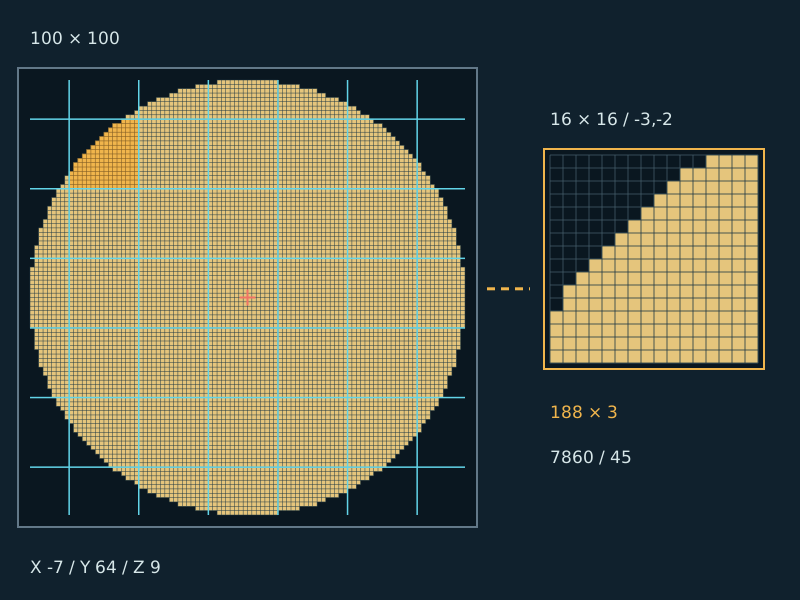
Before staking the boundary
Three boundary checks before building
Negative coordinates still have boundaries
World X −1 is in chunk −1; X 0 is in chunk 0. Mathematical floor preserves this boundary across negative coordinates.
A bounding square is not the floor
A 100 block circle fits within 10,000 square positions. Empty corners outside the disk never become materials or tasks.
Work records belong to a plan
Changing position, material, or layer count invalidates completion. Modes keep separate local lists, saved in this browser rather than your Minecraft server.
Pick the right work unit
Plan your minecraft 100x100 circle by the job
Choose by the placement decision, not the picture size.
General calculator
Fixed hundred-block construction site
Arbitrary diameters and whole-footprint totals
D50 paired rows
World chunk and vertical layer assignments
North/south mirror pairs for a smaller ring
Static chart
Origin-aware local rows and completion
A reference picture without your work state
Game editing
Manual placement guidance and data exports
No automatic block placement or world import
Count the actual cells
Check the numbers in this minecraft 100x100 circle
Testing block centres against radius 50 produces 280 outline blocks or 7,860 filled blocks per layer. These counts describe this raster; other charts may choose different edge cells.
At X 0, Z 0, the outline occupies 28 chunks and the disk 44. Moving the origin changes assignments, not total cells. More layers multiply materials.
Change tools when geometry changes
Keep this desk for hundred-block work packages; switch when the geometry changes.
Questions before starting a minecraft 100x100 circle
Why do edge chunks have fewer materials?
The circle covers only part of them. A chunk boundary never demands filling all 256 positions.
Does marking a chunk finish every height?
No. Only the selected chunk-layer is completed. Other heights remain separate tasks.
Will chunk planning reduce game lag?
No. It organises placement without changing simulation distance, loading, lighting, or server performance.
Can another device see my checklist?
Not automatically. Storage is local to this browser. Export for a handoff, not a live shared checklist or schematic import.
Choose the first section and make it measurable
Place your minecraft 100x100 circle, inspect one chunk, and pack materials for the next layer.
Open the chunk workbenchIndependent planning tool; not affiliated with Mojang or Microsoft and not an official Minecraft product.