VANILLA JAVA / COMMAND DESK
Open command deskhow to build a circle in minecraft java with commands
Command drafting bench
Set the destination, inspect each batch, then export.
Placement preview
X → / Z ↓ · 17 × 17Tap a cell or focus the grid and use arrow keys.
All target cellsCurrent batchLine
World coordinate: 100 64 100 · Not targeted
- Target cells
- 48
- Command lines
- 32
- Batches
- 1
- Cells in batch
- 48
Command program
/fill 106 64 100 110 64 100 minecraft:stone_bricks replace
Each file contains only the selected batch. Run every batch in order; this is not a scheduler.
Chat: run one slash-prefixed line at a time. Function files omit slashes; install them in your own version-matched Java datapack.
Back up first. Commands can overwrite blocks. Choose the Overworld, load destination chunks and obtain command permission. No undo or automatic execution.
Keep targets air only; these counts cannot predict actual placements.
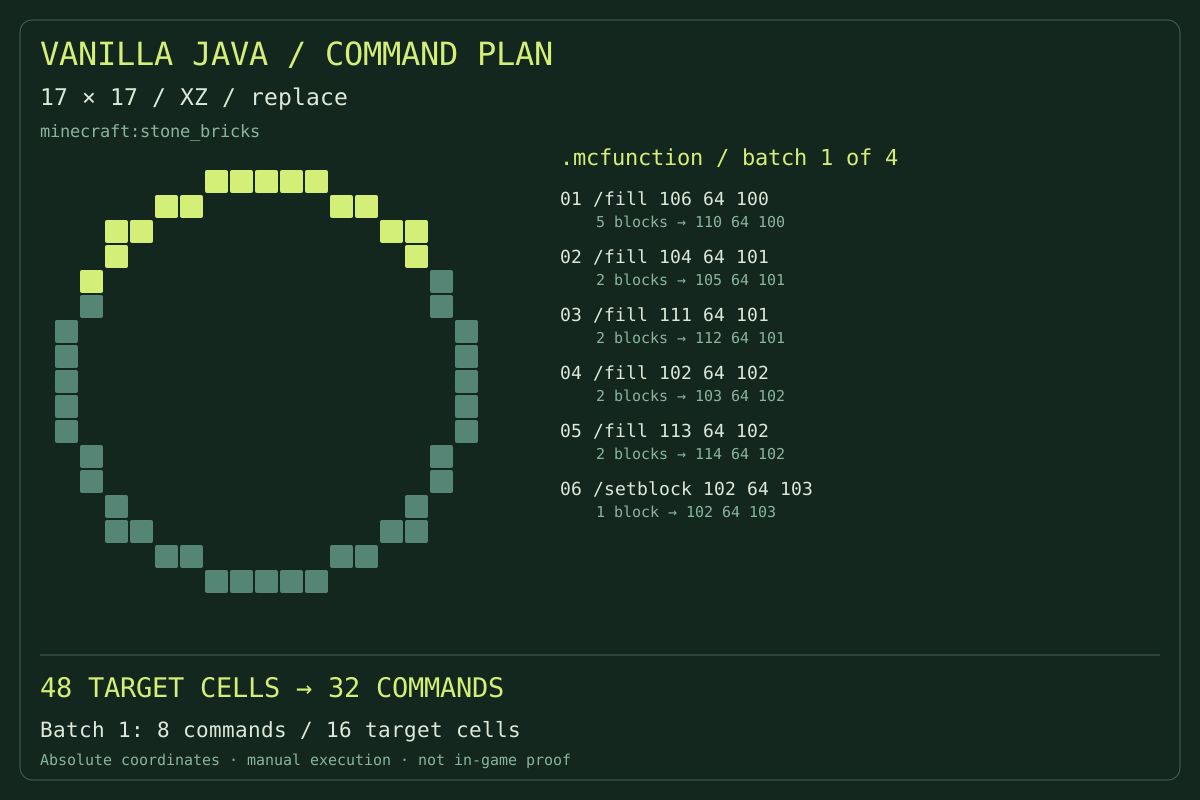
Absolute positions · inspectable batches · no plugin required
The illustrated cells and command spans describe one generated plan, not an unrelated sample build.
Open command deskEXECUTION DESK
Prepare, inspect, copy and execute
Start small in a disposable test world.
Define the destination
Set dimensions and the minimum corner. XZ makes floors; XY or YZ makes walls.
Decide what may change
Select material and replace or keep. Replace overwrites targets; keep places only in air.
Review a command batch
Select a batch and compare highlighted cells with its commands. Coordinates remain absolute.
Transfer deliberately
Copy individual instructions for chat or download a function for your own data pack. Installation is separate.
Command construction
A compiler for curved construction
Commands follow the geometry
Occupied cells become row spans. Single cells use setblock; longer spans use fill. Empty ring centres remain untargeted.
Three construction planes
The footprint maps onto different world axes. Changing the plane changes coordinates; the inactive axis stays fixed.
Batches with visible coverage
Choose how many instructions belong together. Highlighted coverage shows their targets, not server execution time.
Exports you can audit
Inspect readable function text and coordinate data outside the browser. Downloading does not install or execute anything.
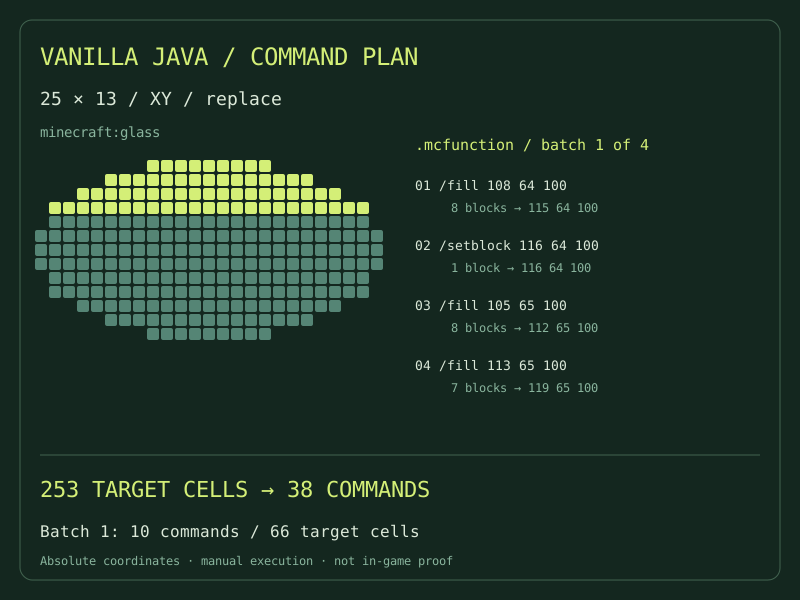
Before you execute
Details that prevent misplaced builds
The corner is not the centre
The origin is the minimum footprint coordinate, not its centre. Even dimensions have centres between blocks. Calculate your corner before centring a build.
Keep does not test the terrain
Keep checks air only when Minecraft executes. Existing blocks may leave gaps. The preview shows intended targets, not surveyed terrain.
No automatic reversal
Replacing blocks discards their previous state. Filling with air cannot restore terrain or container contents. Back up and test away from valuable structures.
Choose the right dependency
Which workflow matches your access?
Choose what your environment can execute. A preview cannot grant permissions.
This command desk
Generate explicit vanilla placement instructions at fixed coordinates.
A manual calculator gives a build guide rather than a script.
WorldEdit workflow
No WorldEdit installation is needed for these vanilla instructions.
WorldEdit cylinder commands require the matching plugin or mod and its permissions.
Structure workflow
Inspect editable command text before running each part.
A schematic carries a binary structure and requires a compatible importer.
Verifiable output
What the output does—and does not—prove
Cells, row spans and coordinates must agree. Internal consistency does not prove that a server accepted commands or loaded the targets.
Review how to build a circle in minecraft java with commands, then test a small batch yourself. Browser checks are not in-game verification. Inspect Minecraft’s feedback next.
Minecraft Java / 1.21Other outputs for other jobs
Keep the dependency choice explicit rather than renaming one file format.
Before pasting the first instruction
Can I paste the entire function into chat?
Chat takes single commands. For Java 1.21, place the file in an existing compatible data pack at data/<namespace>/function/<name>.mcfunction. Run /reload, then /function namespace:name. This download is not a complete data pack.
Does keep preserve the whole area?
It preserves non-air targets but may leave gaps. Nearby mechanisms and block updates are not simulated.
Can I move between batches?
Absolute coordinates do not follow you. Another world or dimension changes their destination.
Is this also a Bedrock command generator?
This targets Java. Other editions may have different syntax, permissions and function packaging.
Why does a ring use several fill instructions?
A rectangle would target the hollow centre. Separate spans follow occupied cells only.
Read the destination before the command
Check the corner, plane and placement mode, then test the smallest useful batch. Keep the exported plan beside your world backup.
Open command deskIndependent utility, not affiliated with Mojang or Microsoft. You remain responsible for world backups, permissions and execution.
Minecraft Java / command modification limits