NATIVE BLUEPRINT / JAVA BUILDING
Design the blueprintCreate a minecraft circle litematica blueprint
01 / minecraft circle litematica workbench
Generate a ring, inspect its slices and prepare a native blueprint.
Encoding native region
Native format
Litematica v6 · .litematic
Native v6; verify compatibility with your game and mod version.
Region dimensions: 17 × 17 × 3
Relative position: -8, 0, -1
Air belongs to the region. Creative paste may affect existing terrain.
Region preview
Select a cell to inspect its position and material.
Local position: 0, 0, 0 · Relative position: -8 0 -1 · Air cell
- Design blocks
- 264
- Blocks in this slice
- 15
- Stored air
- 603
- Stacks of 64
- 4
- Loose blocks
- 8
Slice row spans · Y 0
| Z | X → X | Σ |
|---|---|---|
| 0 | 6 → 10 | 5 |
| 1 | 6 → 10 | 5 |
| 2 | 6 → 10 | 5 |
Open in Litematica
Save to the instance schematics folder, load the file, create a placement, then verify it in a test world.
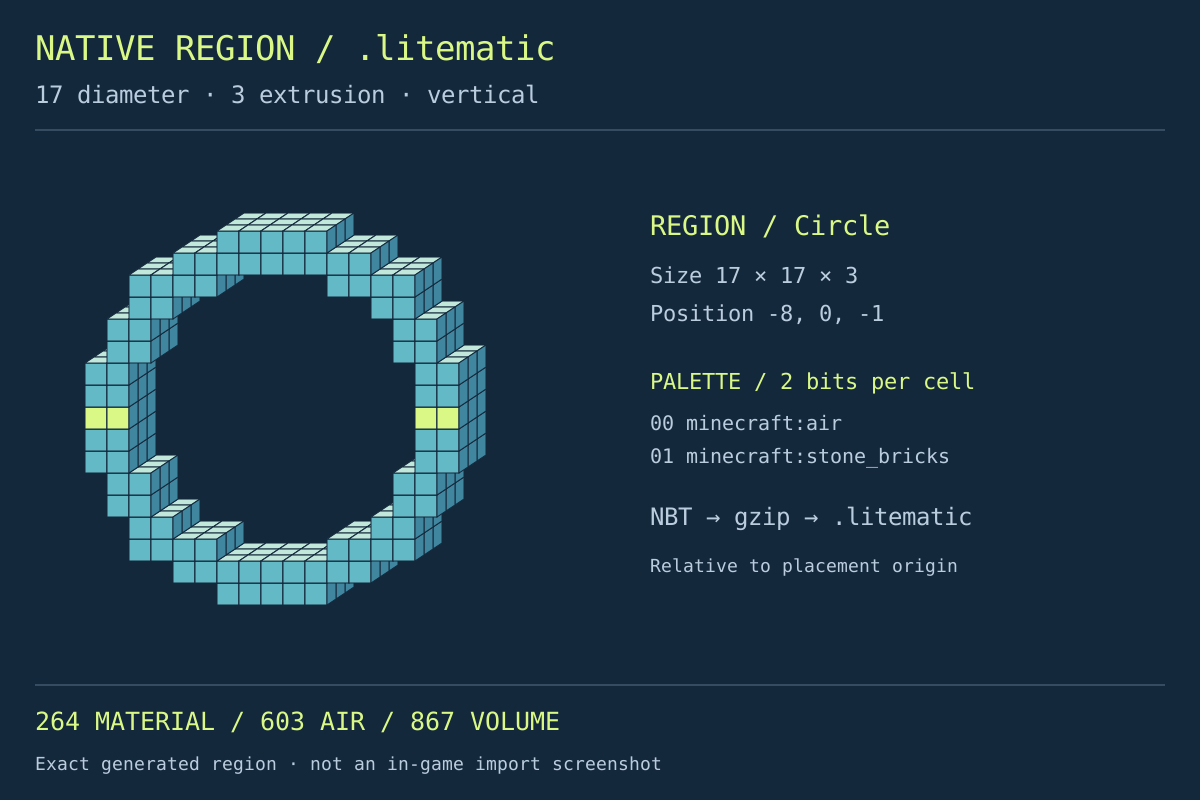
Native region · relative placement · inspectable slices
Illustrations show actual generated cells, including the empty opening, rather than a finished in-game build.
Design the blueprintBLUEPRINT WORKFLOW
Four deliberate steps from ring to blueprint
Separate the stored shape from its in-game placement.
Choose the orientation
Choose a horizontal foundation or upright ring. Extrusion adds depth perpendicular to the circle.
Examine a layer
Generate, move through Y slices and select cells. Check the opening before gathering materials.
Prepare the handoff
Download .litematic and optional coordinates. Use a recognizable filename to avoid loading an older variant.
Create a placement
Save in your instance’s schematics folder. Load with Litematica, create a placement and check it in a test world.
Region construction
Inspect your minecraft circle litematica blueprint
A native region, not a renamed picture
Gzip-compressed NBT carries a palette and packed region data. Renaming a PNG or .schem cannot create this structure.
An upright opening worth inspecting
Vertical circles have different occupied widths across Y slices. Examine the opening rather than assuming equal quantities at every height.
Totals before inventory decisions
See stacks of 64 and loose blocks. These are design quantities, not a count of materials missing from your inventory.
Readable companions
CSV stores coordinates, JSON records the plan and SVG depicts a slice. None replaces the native blueprint.
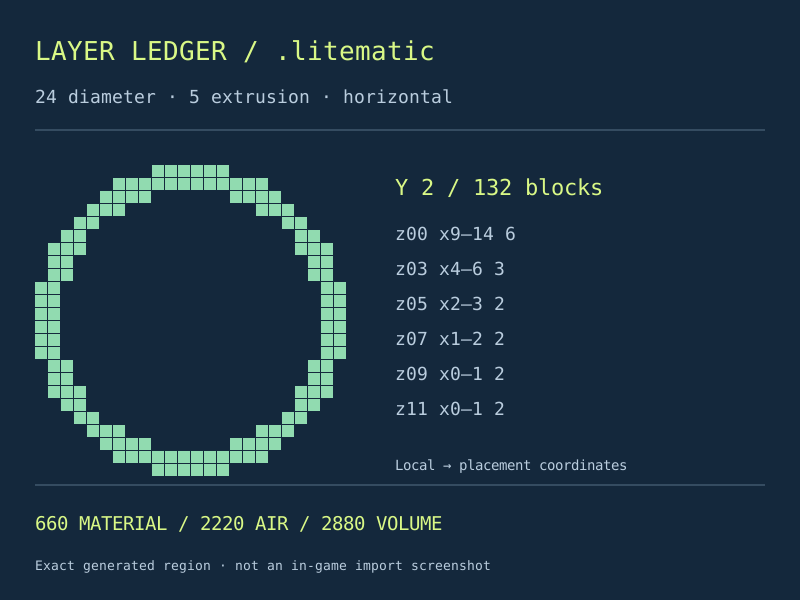
Placement cautions
Three distinctions that prevent misplaced expectations
Region position is not your world destination
Offsets place the region inside its schematic. The mod’s placement supplies the world position. Entering offsets here builds nothing automatically.
A material total is not a missing-block report
This browser cannot see your world or inventory. It cannot identify correct, missing or already supplied blocks as an in-game placement comparison can.
Stored air needs deliberate treatment
The rectangular region stores air. A hologram and creative paste are different actions; inspect paste settings before risking existing terrain.
Different file destinations
Choose a blueprint when the mod is your destination
Choose the handoff, not another name for the circle.
Native .litematic
Use this minecraft circle litematica output for a Litematica blueprint workflow.
Sponge .schem uses another internal format and belongs to a compatible schematic importer.
Manual construction
Inspect layers and material quantities before following the hologram.
A calculator is simpler when you only need a browser grid and no mod.
Vanilla commands
Keep a structure file ready for a separate placement.
Command exports instead describe execution instructions and require suitable world permissions.
Inspect the contract
Evidence you can inspect in the generated plan
Region volume equals occupied cells plus air. Summing all Y-slice material counts recovers the complete block count.
Your minecraft circle litematica file and preview share generated cells. Consistent data does not prove a successful import in your installation.
Litematica / sourceUse the output that suits your environment
Switch tools when you need another artifact.
Questions before loading your blueprint
Does downloading build the ring in my world?
No. The download only creates a file. Load it in compatible Litematica and create a placement; building remains separate.
Why do vertical layer quantities change?
Horizontal slices cross different parts of an upright circle. Curvature changes occupied spans despite constant extrusion depth.
Can I use these numbers as a missing-material list?
No. These totals cover the complete design, without subtracting existing world blocks or inventory. Compare inside the mod.
Where should the circle’s centre go?
The reference centres the region bounds in X and Z while Y stays at the bottom. Even dimensions put the geometric centre between cells; the integer reference selects the lower central cell.
Is a successful download proof of compatibility?
No. Test your game and mod versions in a disposable world before using a valuable build area.
Take a checked blueprint into your world
Prepare your minecraft circle litematica design, inspect a narrow slice and save the native file. Confirm one placement before committing to the full build.
Design the blueprintIndependent tool, not affiliated with Mojang, Microsoft or Litematica. Keep backups and consult the mod’s documentation for installation and paste behavior.
Litematica / documentation