Minecraft Circle GeneratorMinecraft Circle Generator

Internal links

Related Minecraft tools

Open the next tool players usually use after this page and keep the build workflow moving.

Why this Minecraft Map Art Generator is useful

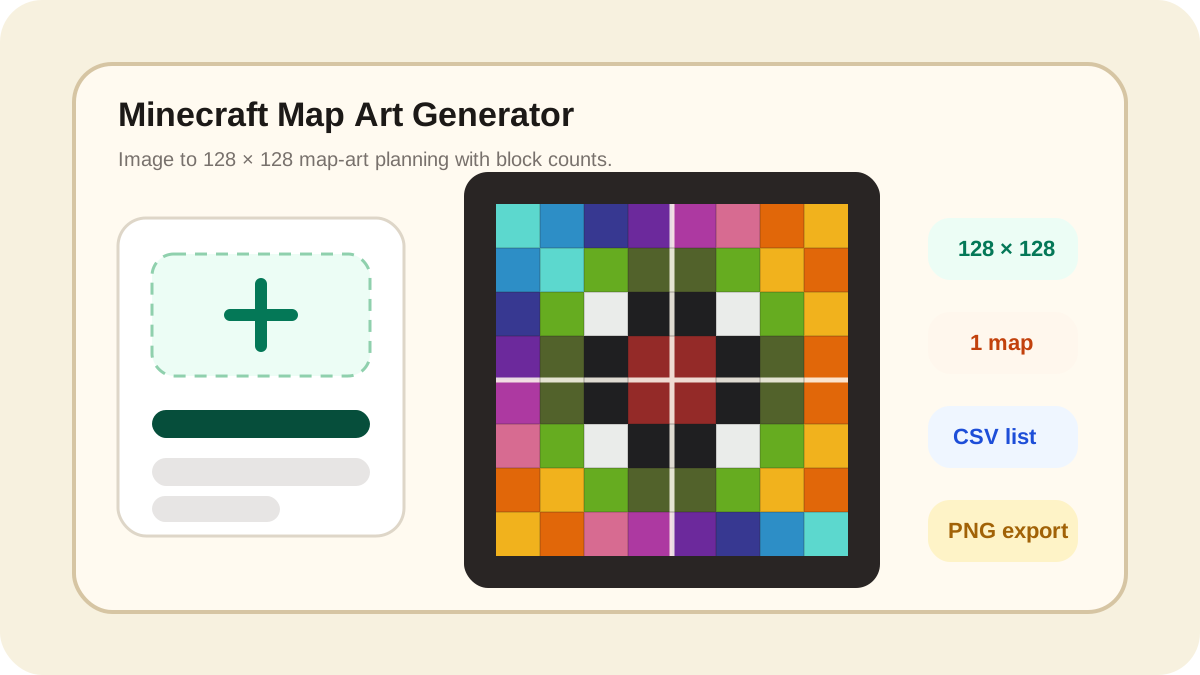
A strong Minecraft Map Art Generator should help players answer three questions fast: how will the image look on a map, how many maps or item frames will it need, and what blocks should be gathered before building. This page is designed around that workflow.

Use it for logos, posters, server spawn walls, custom signs, survival map art, and large item-frame displays. The conversion runs in your browser, so you can test images, map sizes, dithering, and block palettes without uploading your source file to a server.

128 x 128 map-first setup

The default Minecraft Map Art Generator preset matches the standard single-map grid so users can start with the expected map-art size.

Map tile count

See whether the art is one map, a two-map poster, or a 2 x 2 display before you build the item-frame wall.

Material planning

Copy a map-art block list or export CSV so survival builders know the real block count before gathering resources.

Browser-based conversion

Image conversion, palette matching, dithering, preview, and export happen locally in the browser for faster testing.

Map art features that match real player intent

This page focuses on the map-art workflow users search for: image conversion, 128 x 128 sizing, preview, blocks, and export.

Image to Minecraft map art

Upload a picture and the Minecraft Map Art Generator converts it into block colors that are easier to plan as map art or item-frame displays.

Single-map and multi-map presets

Start with 128 x 128 for one map, 256 x 128 for a two-map poster, or 256 x 256 for a four-map wall.

Dithering for smoother pictures

Optional dithering helps photos, gradients, and shaded art survive the limited Minecraft block palette with more detail.

Map tile stats

The stats cards show wall layout, maps needed, total blocks, unique blocks, and the dominant color so players can judge build effort quickly.

CSV and PNG export

Download a PNG preview for sharing or a CSV material list for planning the build with friends, admins, or survival teams.

Made for build planning, not just previews

The page keeps the image preview next to the block counts because map art only becomes useful when players can actually build it.

How to use the Minecraft Map Art Generator

Four practical steps from image to item-frame plan

1

Upload the image

Choose a logo, poster, avatar, or screenshot. Simple shapes and strong contrast usually convert into cleaner map art.

2

Pick the map size

Use 128 x 128 for one map, 256 x 128 for a two-map poster, or 256 x 256 for a four-map wall.

3

Tune palette and dithering

Use the map-art palette and test dithering to balance smooth detail against easy-to-read block placement.

4

Export the plan

Download the PNG preview, copy the block list, or save the CSV material plan before building in Minecraft.

Minecraft Map Art Generator FAQ

Quick answers about 128 x 128 map art, multi-map walls, block lists, and exports.
1

Why does the Minecraft Map Art Generator start at 128 x 128?

A standard Minecraft map is based on a 128 x 128 pixel grid. Starting at that size gives players a practical single-map planning format immediately.
2

Can I create larger map walls?

Yes. Use 256 x 128 for a two-map poster or 256 x 256 for a 2 x 2 map wall. The map tile stat shows how many item frames the layout needs.
3

Does this download map.dat files?

Not in this version. This page focuses on browser preview, block planning, PNG export, and CSV material lists. That is safer for players who want to build the map art manually.
4

Which images convert best?

High-contrast logos, avatars, icons, and posters convert best. Very detailed photos may need dithering, cropping, or a larger multi-map layout.
5

Can survival players use this tool?

Yes. The material list and CSV export are useful for survival planning because they show block IDs and counts before you gather resources.
6

Is this affiliated with Minecraft, Mojang, or Microsoft?

No. This is an independent fan-made Minecraft Map Art Generator and is not affiliated with Minecraft, Mojang, or Microsoft.

Create a cleaner Minecraft map art plan.

Upload an image, use the 128 x 128 preset, and export a practical block list with the Minecraft Map Art Generator.