5
Starter tower
Small watchtower tops, wells, compact fountains, and decorative posts.
Diameter reference
Open the live generatorA Minecraft circle chart helps when you already know the approximate size but do not want to test every diameter by hand. Use it to pick a build scale, estimate materials, then open the live generator for exact coordinates and export options.
Filled rows · top half
North edge to the center. Every filled row is shown once, including repeats; bar width is its block count divided by the diameter. Mirror these rows for the lower half, without repeating the center row of an odd circle.
Common sizes
| Diameter | Geometric radius | Filled blocks | Outline blocks | Full filled row pattern |
|---|---|---|---|---|
| 5 | 2.5 | 21 Open ↗ | 12 Open ↗ | 3 · 5×3 · 3 |
| 7 | 3.5 | 37 Open ↗ | 16 Open ↗ | 3 · 5 · 7×3 · 5 · 3 |
| 9 | 4.5 | 69 Open ↗ | 24 Open ↗ | 5 · 7 · 9×5 · 7 · 5 |
| 11 | 5.5 | 97 Open ↗ | 28 Open ↗ | 5 · 7 · 9 · 11×5 · 9 · 7 · 5 |
| 15 | 7.5 | 177 Open ↗ | 40 Open ↗ | 5 · 9 · 11 · 13×2 · 15×5 · 13×2 · 11 · 9 · 5 |
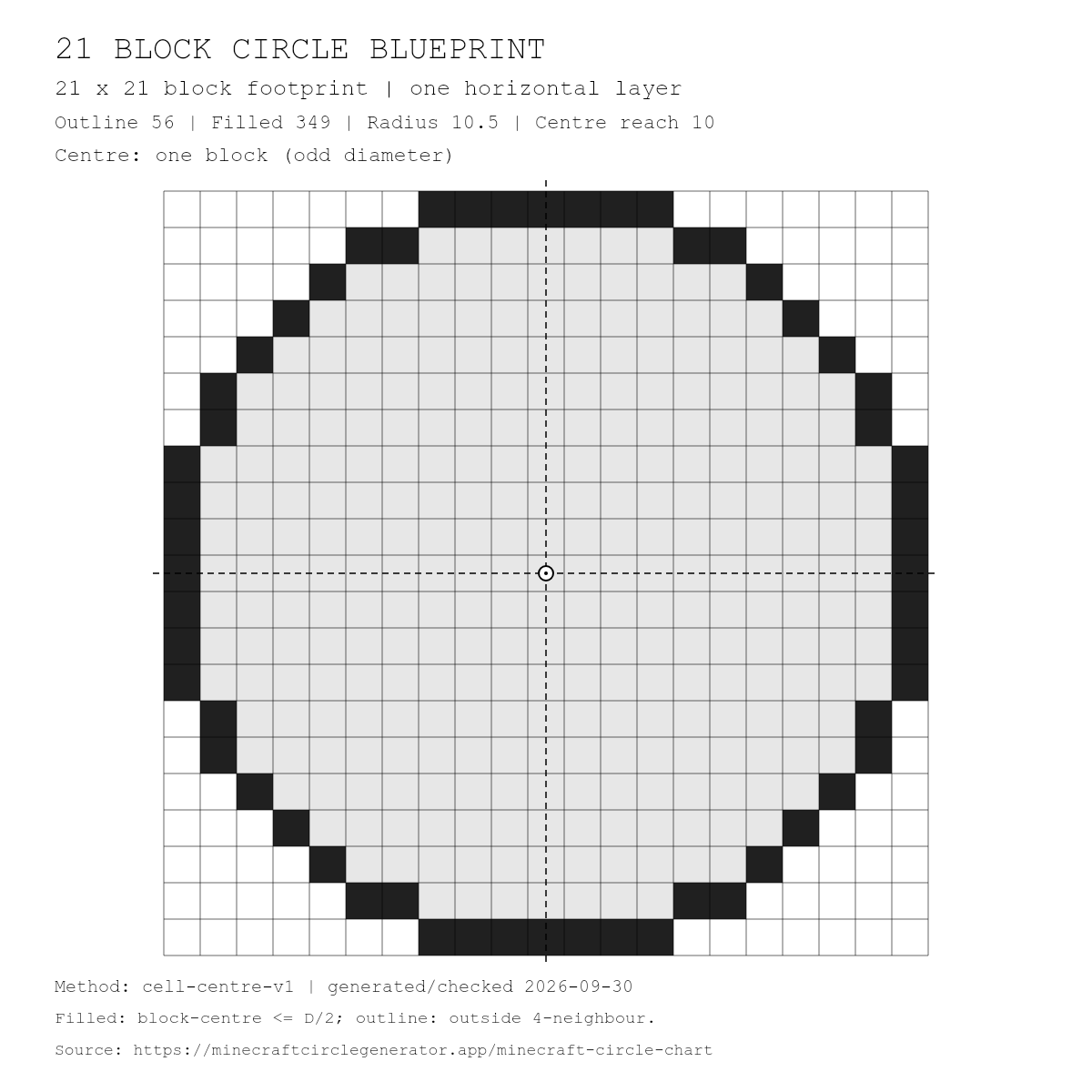
| 21 | 10.5 | 349 Open ↗ | 56 Open ↗ | 7 · 11 · 13 · 15 · 17 · 19×2 · 21×7 · 19×2 · 17 · 15 · 13 · 11 · 7 |
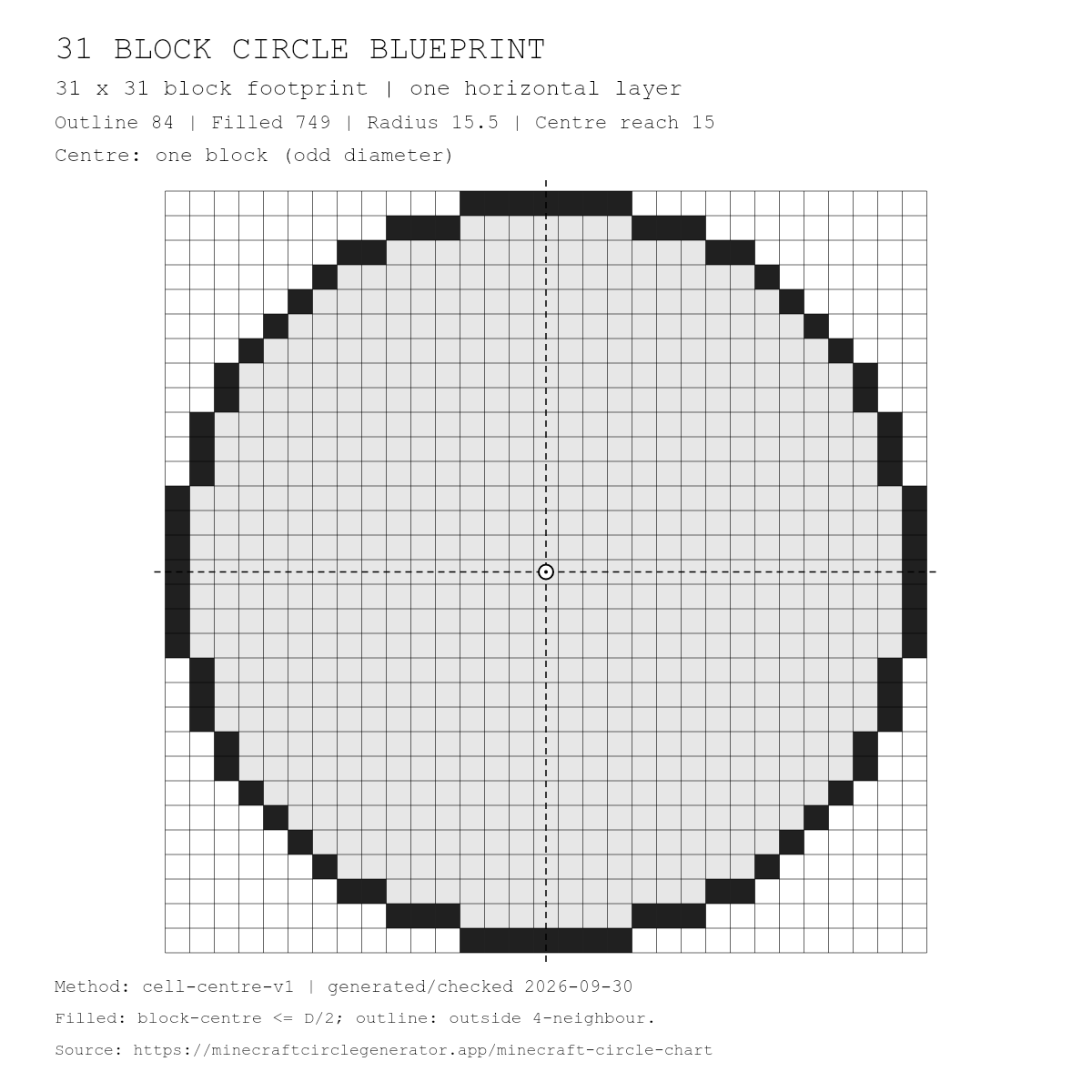
| 31 | 15.5 | 749 Open ↗ | 84 Open ↗ | 7 · 13 · 17 · 19 · 21 · 23 · 25 · 27×2 · 29×3 · 31×7 · 29×3 · 27×2 · 25 · 23 · 21 · 19 · 17 · 13 · 7 |
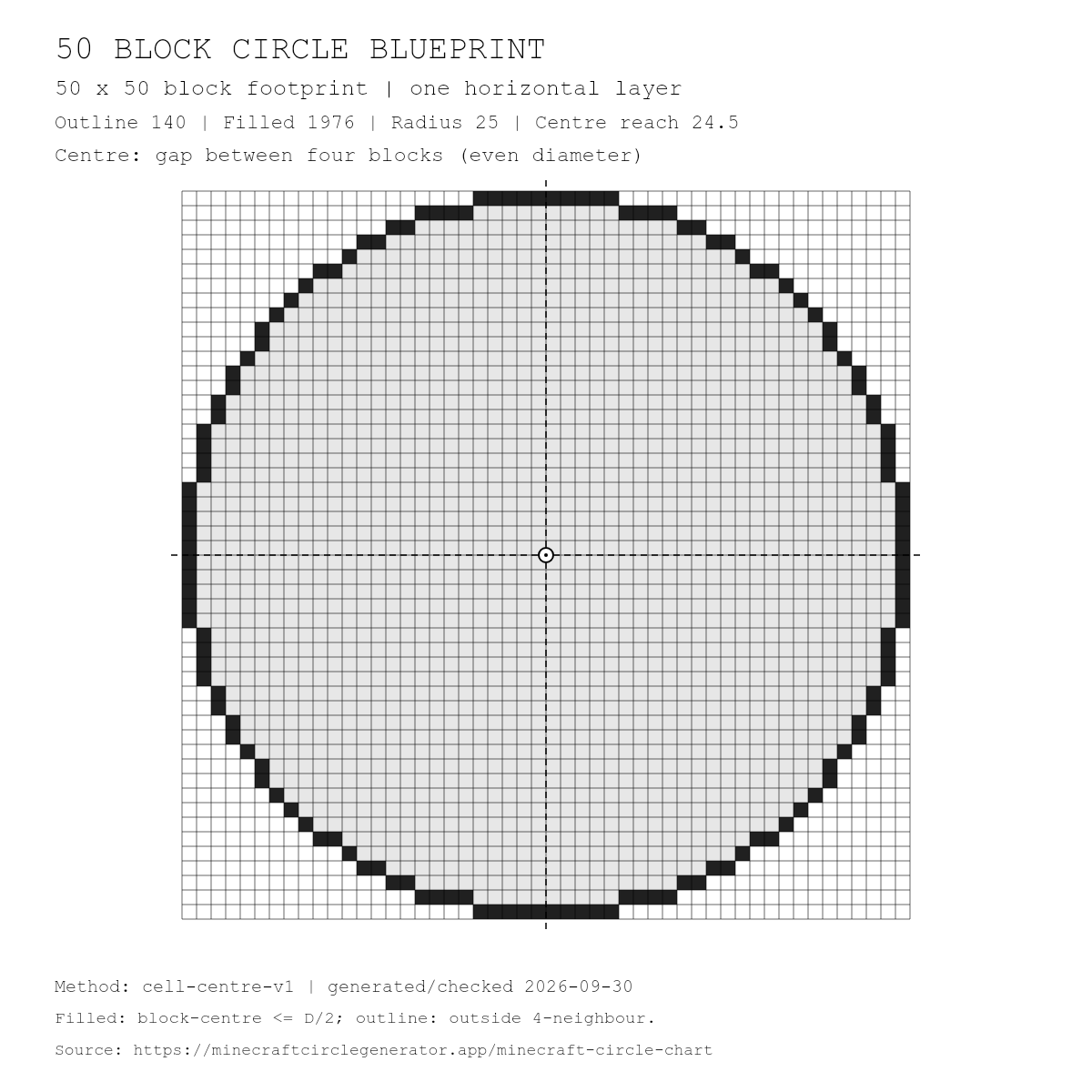
| 50 | 25 | 1976 Open ↗ | 140 Open ↗ | 10 · 18 · 22 · 26 · 28 · 32 · 34 · 36 · 38 · 40×2 · 42 · 44×2 · 46×2 · 48×4 · 50×10 · 48×4 · 46×2 · 44×2 · 42 · 40×2 · 38 · 36 · 34 · 32 · 28 · 26 · 22 · 18 · 10 |
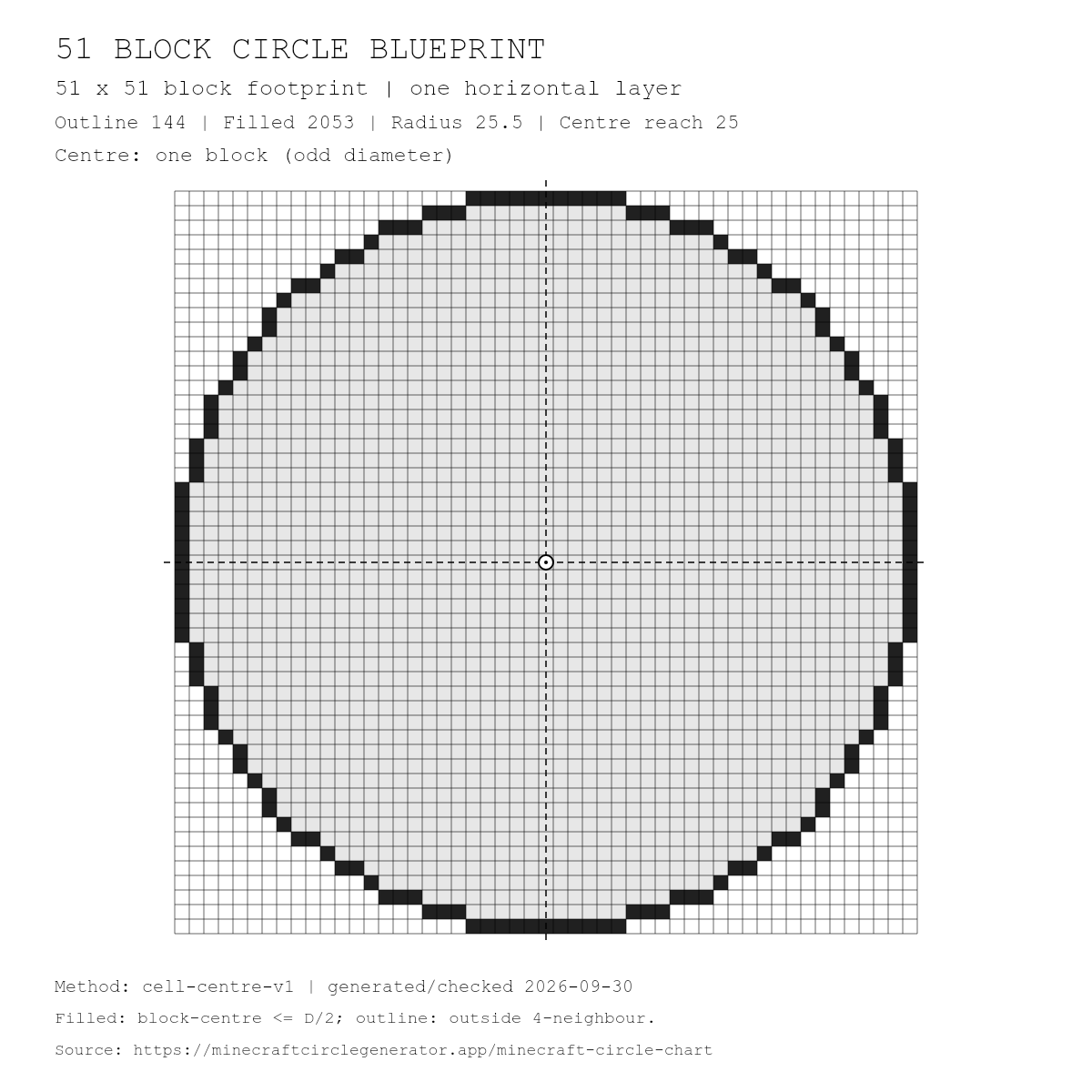
| 51 | 25.5 | 2053 Open ↗ | 144 Open ↗ | 11 · 17 · 23 · 25 · 29 · 31 · 35 · 37 · 39×2 · 41 · 43×2 · 45 · 47×3 · 49×3 · 51×11 · 49×3 · 47×3 · 45 · 43×2 · 41 · 39×2 · 37 · 35 · 31 · 29 · 25 · 23 · 17 · 11 |
Save a white-background blueprint for your build notes, tutorial, or printed checklist. Each image shows one horizontal layer: dark cells are the outline, and light-grey cells fill the interior. Download the SVG for scalable diagrams or the 1200 × 1200 PNG for a ready-to-use image.
Download the nine-size circle chart (CSV)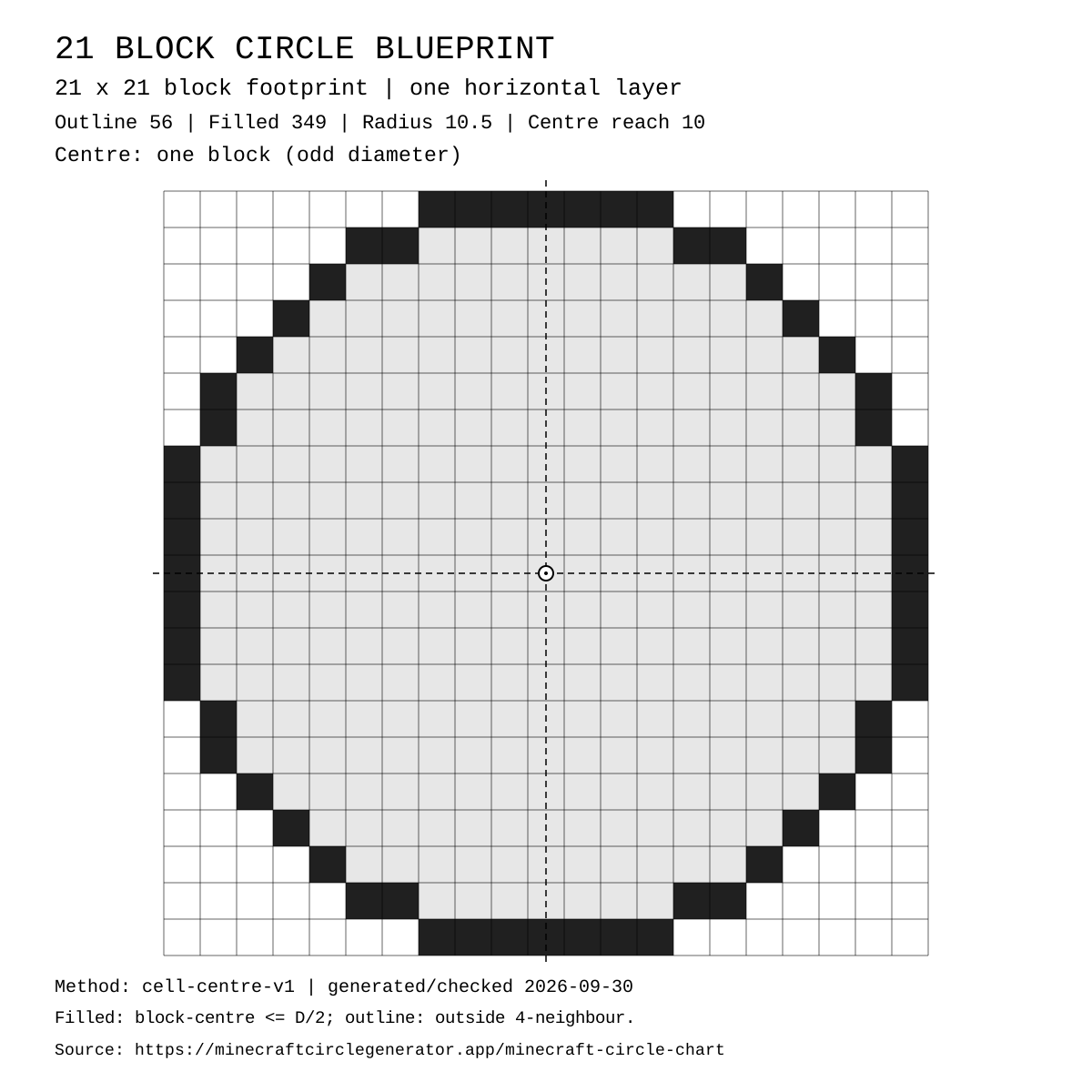
56 outline blocks · 349 filled blocks · Odd diameter: block-centred
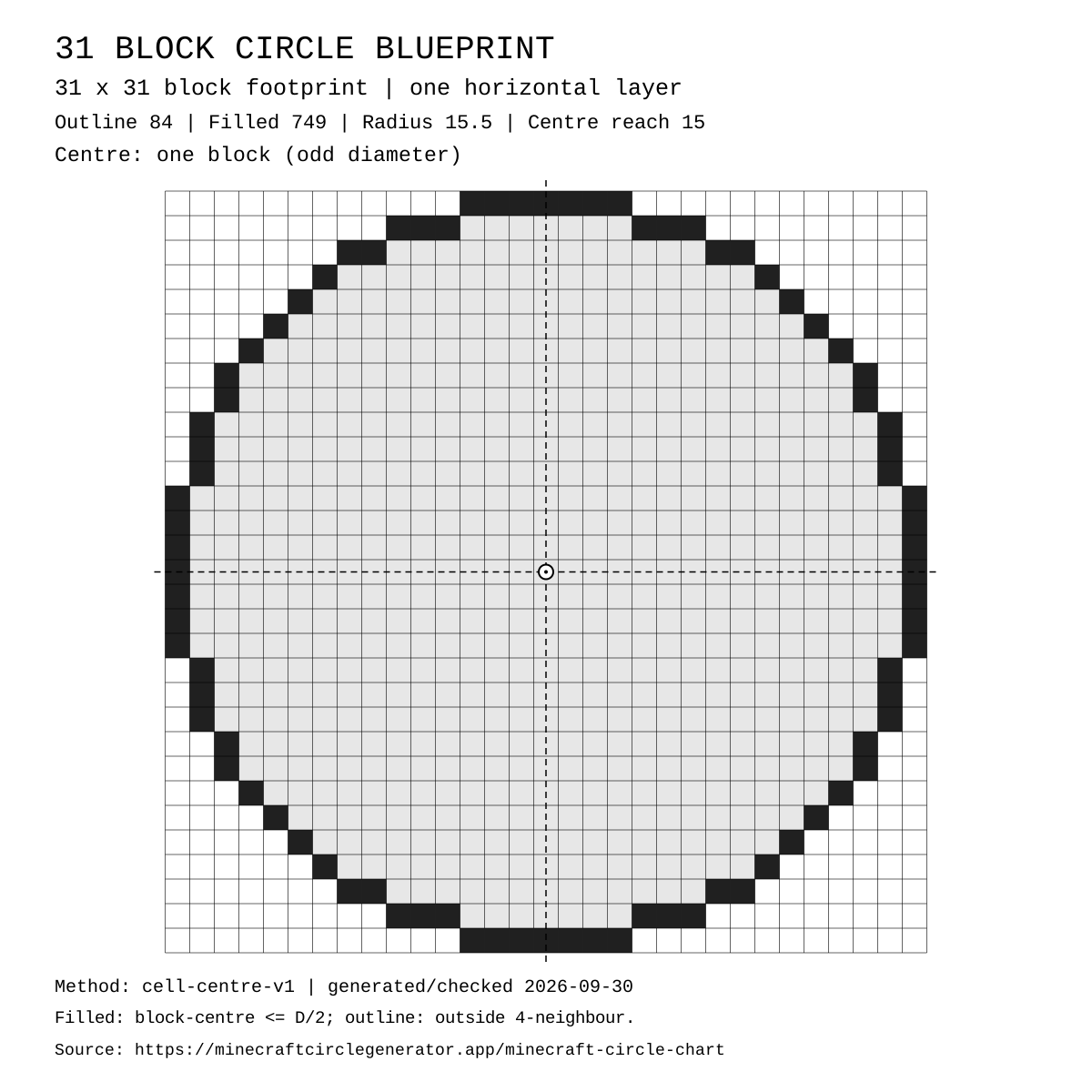
84 outline blocks · 749 filled blocks · Odd diameter: block-centred
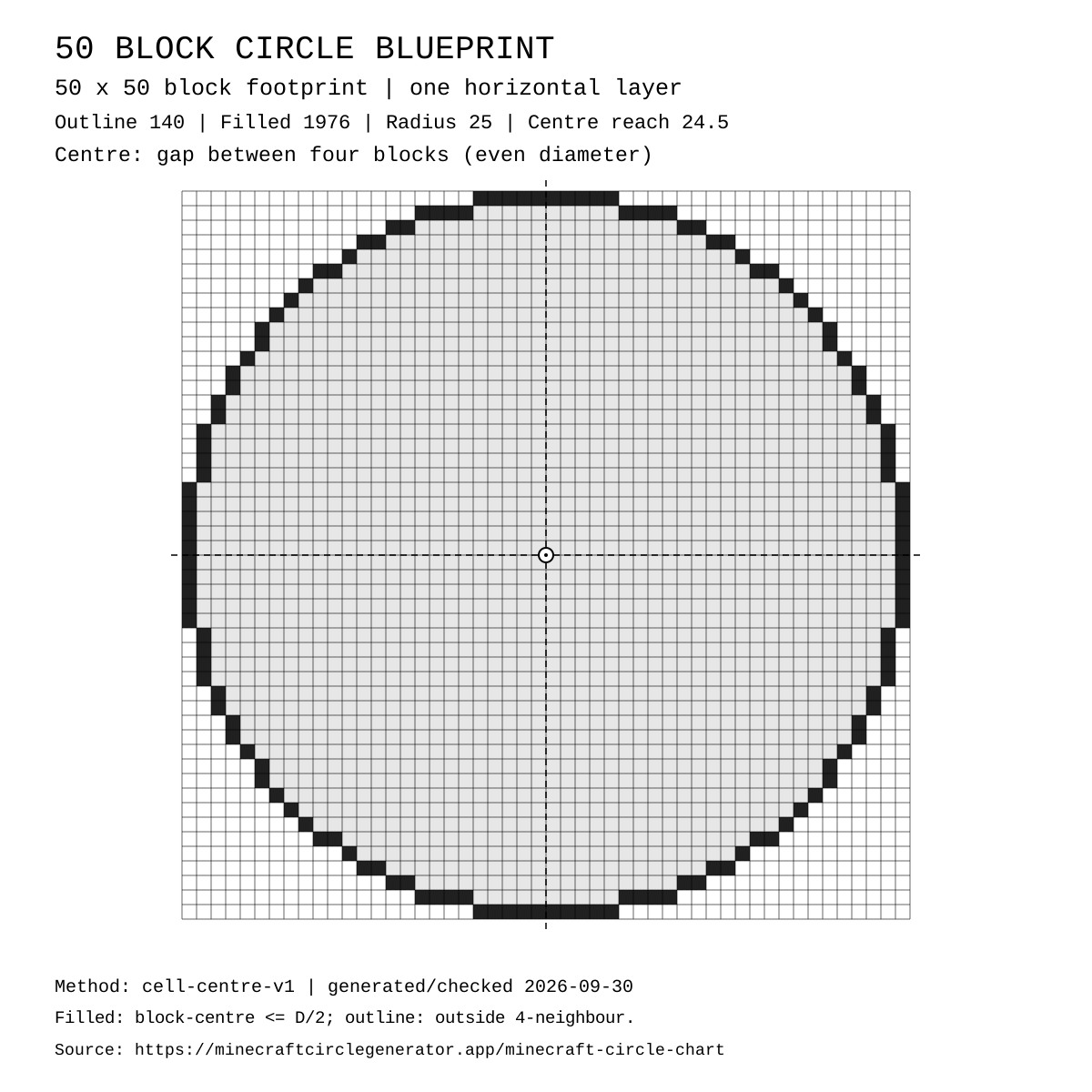
140 outline blocks · 1976 filled blocks · Even diameter: gap-centred
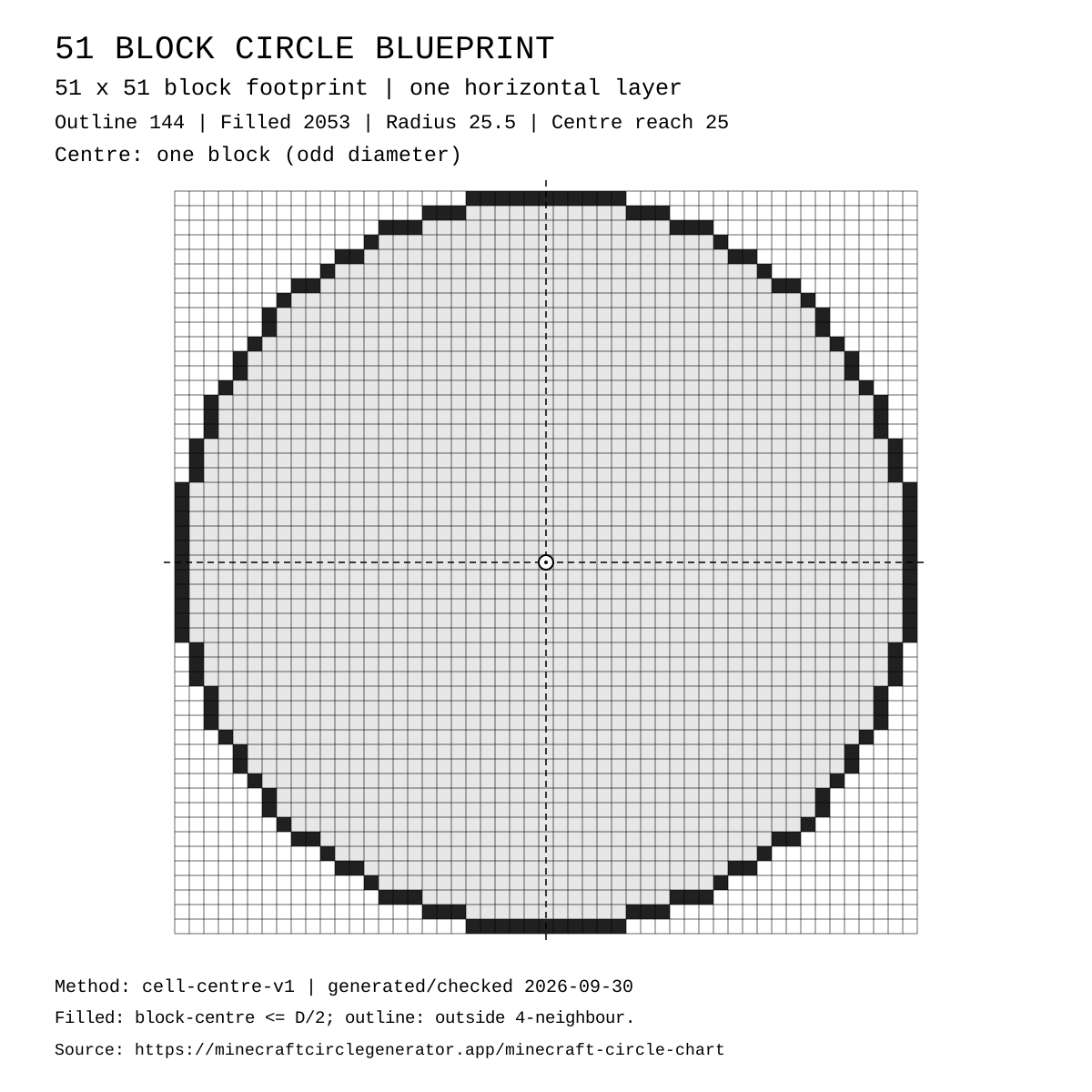
144 outline blocks · 2053 filled blocks · Odd diameter: block-centred
Method: cell-centre-v1. The diameter is the full square footprint, not the radius. Filled blocks have their centres at or inside the geometric radius D/2. An outline block has at least one of its four orthogonal neighbours outside the filled footprint; diagonal neighbours do not determine the outline. These are discrete block counts, not πD or πr² estimates.
Odd diameters have a single centre block; even diameters have a centre gap between four blocks. Geometric radius D/2 differs from centre-to-furthest-block-centre reach (D−1)/2. The CSV includes both values and filled row patterns from top to bottom. A pattern such as 5×3 means three consecutive rows containing five filled blocks each.
Generated and checked: . This version uses the same circle plan as the live generator; another rasterisation method may produce different counts.
Optional source note for your build notes or tutorial (select and copy):
Minecraft Circle Chart — cell-centre-v1 — https://minecraftcirclegenerator.app/minecraft-circle-chart
The source note is optional and is not a backlink or attribution requirement. The files contain a plain-text source URL, not an embedded hyperlink.
Calculation method
Diameter is the edge-to-edge footprint: a 21-block circle occupies a 21×21 grid. This chart and the homepage generator use the same block-center sampling rule, not the smooth area formula πr².
A filled cell is included when its center lies on or inside the ideal circle: distance to the geometric center ≤ diameter ÷ 2. An outline cell is a filled cell with at least one empty north, south, east, or west neighbor. Diagonal neighbors do not decide the outline.
Geometric radius is D ÷ 2. Reach to the outermost block center is (D − 1) ÷ 2. They differ by half a block: diameter 21 has radius 10.5 and reach 10; diameter 50 has radius 25 and reach 24.5.
The table's full pattern records filled row lengths from north to south. In 19×2, ×2 means repeat a 19-block row twice. It does not mean a 38-block row. The outline total is counted separately from the filled rows.
These are one-layer totals. A wall made from the same outline on several layers uses the outline total multiplied by the layer count; a filled floor uses the filled total. The pixel footprint can be followed in Java or Bedrock, but command syntax and export compatibility are separate questions.
For world-positioned coordinates and JSON plans, use the Minecraft Circle Calculator. The separate Minecraft Circle Command Generator exports modern Java Overworld commands and .mcfunction files, not Bedrock commands. Its outline method differs; use that tool's own preview and totals.
Small watchtower tops, wells, compact fountains, and decorative posts.
Simple huts, small floors, portal rooms, and survival-base details.
Towers, arena centers, dome starts, farms, and symmetrical plazas.
Large arenas, map-art rings, castle walls, hubs, and server landmarks.
Placement workflow
The chart is for fast decisions. The homepage generator provides the pattern and PNG, while the Minecraft Circle Calculator provides world-positioned coordinates and JSON plans. Choose the reference size first, then use the export tool that matches your build.
Pick a center block or a center gap. Odd diameters use a center block; even diameters sit between four blocks.
Geometric radius is diameter ÷ 2. Reach to the outermost block center is (diameter − 1) ÷ 2: a 21-wide circle has radius 10.5 and reach 10.
Mirror odd-diameter offsets with x′ = −x and z′ = −z. For an even diameter in this tool, use x′ = −x − 1 and z′ = −z − 1 around the center gap.
Use row counts before filling walls or floors. If one row is offset, the whole circle looks warped.
Choose a diameter in the table and open its outline or filled preset in the Minecraft Circle Generator. The homepage editor provides a pattern, relative coordinates, and PNG export. Use the Minecraft Circle Calculator for world coordinates and a JSON plan.
Build from the center reference and mirror rows. Odd diameters have one center block. Even diameters have a gap between four blocks; this chart and the Minecraft Circle Calculator use the south-east block beside that gap as relative X/Z coordinate 0,0, so mirror an even offset with −x − 1 and −z − 1. The homepage editor uses 2D X/Y grid coordinates, not world X/Z offsets; use the calculator for world coordinates.
The full row pattern lists filled row lengths from north to south. A value such as 19×2 means two consecutive rows of 19 blocks, not one row of 38 blocks. Outline totals count only filled cells touching an empty north, south, east, or west neighbor.
Use the separate Minecraft Circle Command Generator for modern Java Overworld commands and .mcfunction export, not Bedrock commands. Its outline method is separate, so check its own preview and counts rather than reusing these chart totals as command totals. The Minecraft Circle Calculator exports coordinates and a JSON plan, not command files.
Continue in the Minecraft Circle Calculator for coordinate exports, or the Minecraft Circle Command Generator for modern Java Overworld command files.
Related references
Compare common diameters, radius values, block counts, and row patterns before opening the tool.
REF 02Use x/z coordinate logic to place center points, quadrants, walls, and map-art rings without drifting.
REF 03Pick build-ready circle templates for towers, domes, arenas, farms, and pixel-art frames.
REF 04Use a compact 21 block circle for towers, farms, rooms, and small survival builds.
REF 05Plan a medium 31 block circle for arenas, towers, domes, and server hub details.
REF 06Build an exact gap-centred 50×50 footprint with 25 mirrored row pairs, material totals, and coordinate export.
REF 07Split a large circle into world-aligned chunks and complete each vertical work package.
REF 08Build a large 51 block circle for mega bases, arenas, map-art rings, and landmarks.